¶ Overview
The Tracker Details page provides detailed insight into the plant’s tracker network, including tracker angles, motor currents, and battery voltages. This view allows operators to confirm tracker alignment, motion behavior, and stow status during different times of day or under specific wind and operational conditions. Data is pulled directly from each tracker’s TCU (Tracker Control Unit) and the managing NCU (Network Control Unit).
¶ Measurement Type Selection
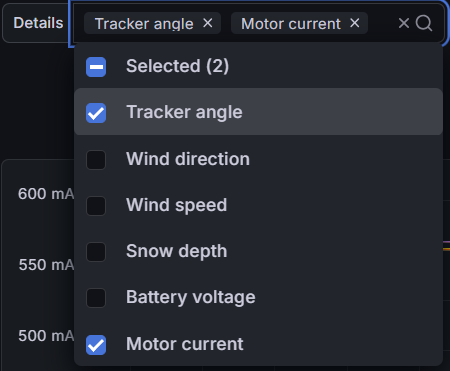
The Details dropdown lets you select which tracker-related signals to display. You can visualize one or multiple tracker measurements simultaneously to analyze behavior or performance.
- Tracker angle — the current angular position (°) of each tracker row relative to its neutral position.
- Motor current — drive current (mA) consumed by tracker motors, used to assess movement load or faults.
- Battery voltage — supply voltage for tracker controllers, ensuring operation within safe limits.
- Wind speed / Wind direction — optional context metrics to check tracker reactions under strong winds.
¶ NCU and TCU Selection
The NCU and TCU selectors at the top allow filtering which tracker network and specific tracker rows are visualized. Each NCU manages a group of TCUs. You can choose one or several devices for side-by-side comparison.
- NCU: Network Control Unit — manages communication and supervision for a cluster of trackers.
- TCU: Tracker Control Unit — per-tracker controller providing angle, current, and voltage readings.

Tip: Compare trackers across different NCUs to detect synchronization issues or abnormal mechanical behavior.
¶ Interval (Granularity)
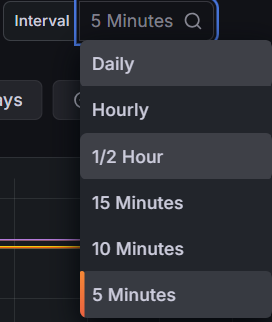
Choose the time interval to control chart resolution. Finer intervals (e.g., 5 or 10 minutes) capture detailed movement, while longer intervals (e.g., Hourly or Daily) show overall stow or alignment trends.
¶ Tracker Graph & Legend
The chart visualizes the selected tracker signals over time for the chosen NCUs and TCUs. Each line corresponds to an individual tracker, with Mean and Last values shown in the legend.
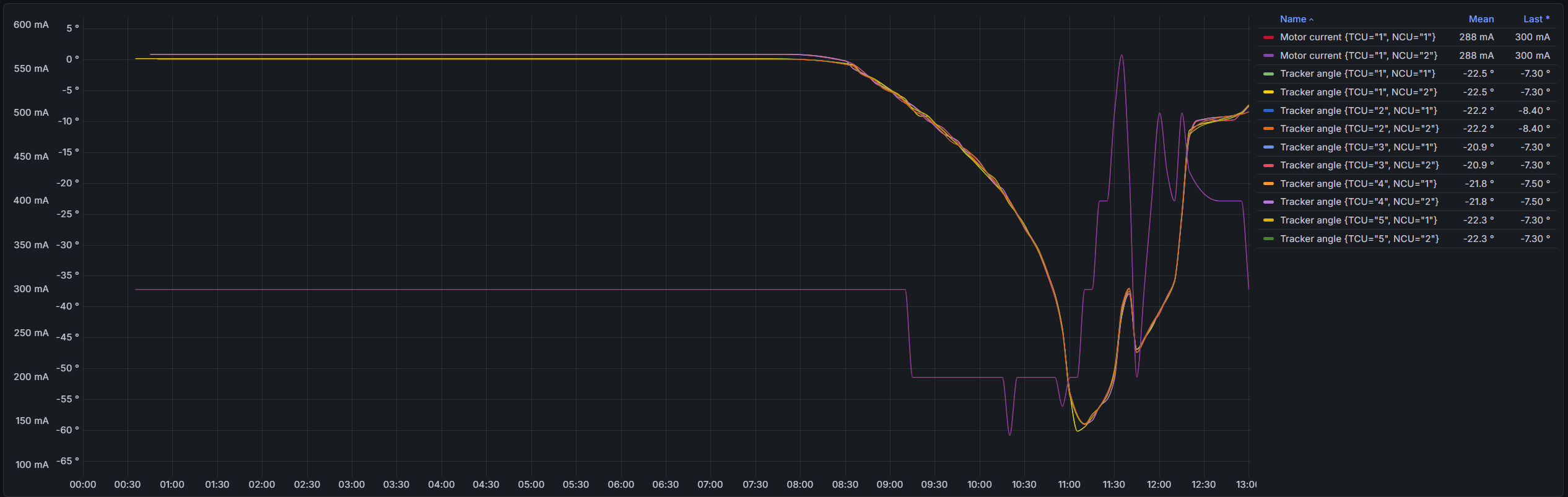
- Tracker angle (°): Indicates tracker tilt — expected to move smoothly following the sun or to stow in strong winds.
- Motor current (mA): Reflects motor load — spikes may indicate mechanical resistance or re-positioning events.
- Mean / Last: Legend fields showing average and latest sensor values for each tracker.
Interpretation: Consistent angle progression and similar motor currents across trackers indicate proper synchronization. Sudden deviations, persistent offsets, or flat lines may suggest misalignment, stuck actuators, or offline TCUs.
¶ Navigation
At the top of the Tracker Details dashboard, you’ll find menu line

- Tracker Status → Dedicated summary page showing real-time and historial operational state of each tracker.